XBee-LR
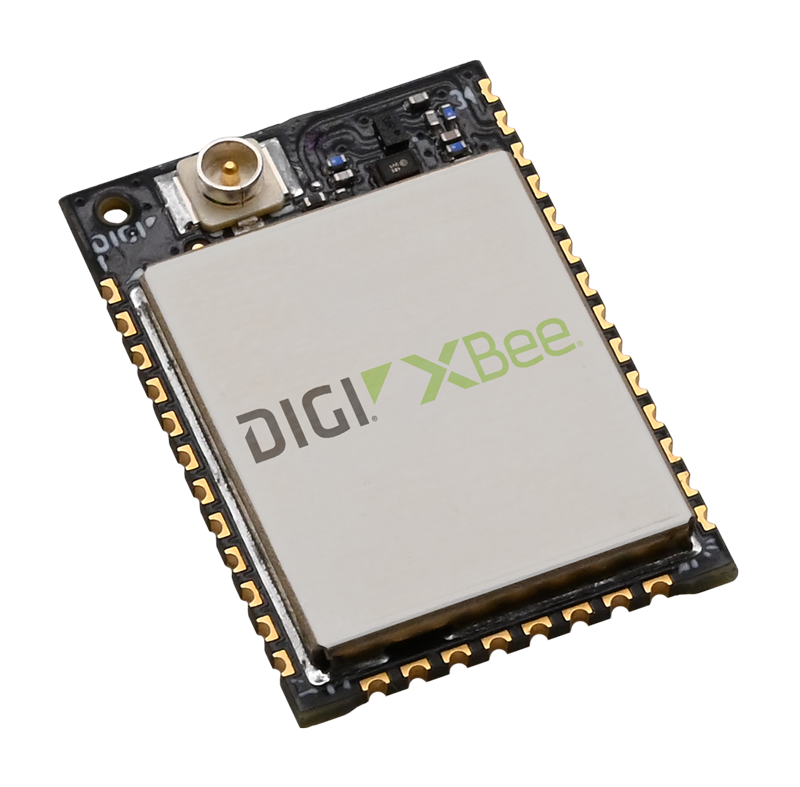
Digi XBee LR LoRaWAN module (MMT with U.FL antenna connector). Software-defined radio with multi-region support and X-ON zero-touch provisioning. Use XBee Studio for configuring your lorawan settings.
About this device
Digi XBee LR LoRaWAN module (MMT with U.FL antenna connector). Software-defined radio with multi-region support and X-ON zero-touch provisioning. Use XBee Studio for configuring your lorawan settings.
The XBee-LR supports 2 regional frequency plans and operates as a Class A/B/C LoRaWAN device.
Key features
- 2 frequency plans supported: EU863-870, US902-928.
- Battery powered.
Vendor
Hardware specifications
| Model ID | digi-xbee-lr |
| Power | Battery |
Sensors & capabilities
No sensors listed for this device.
Certifications & compliance
Standards
Network profiles
Capabilities are defined per firmware version and frequency plan, exactly as published in the repository.
Firmware A5013
| Frequency plan | MAC | Reg. params | Class | Join | Max EIRP | Certified |
| EU863-870 | 1.0.4 | RP002-1.0.4 | A / C | OTAA | 14 dBm | — |
| US902-928 | 1.0.4 | RP002-1.0.4 | A / C | OTAA | 21 dBm | — |
Firmware A5012
| Frequency plan | MAC | Reg. params | Class | Join | Max EIRP | Certified |
| EU863-870 | 1.0.4 | RP002-1.0.4 | A / C | OTAA | 14 dBm | — |
| US902-928 | 1.0.4 | RP002-1.0.4 | A / C | OTAA | 21 dBm | — |
Frequency plan coverage
Add to The Things Stack
Manual setup
Create an application
In The Things Stack console, go to Applications → Create application and pick a unique application ID.
Register an end device
Choose From the LoRaWAN Device Repository and search for “XBee-LR”. Select your firmware version and frequency plan.
Enter device credentials
Provide the DevEUI, JoinEUI and AppKey printed on the device label or QR code.
Power on & verify uplinks
Within a few minutes you'll see the join request and uplinks in the Live data tab.