
LBT1
The Dragino LBT1 is a LoRaWAN® Bluetooth tracker that consists of a motion sensor and an iBeacon scanner. LBT1 scans and finds the nearest i-Beacon info and sends it to an IoT server via LoRaWAN wireless network.
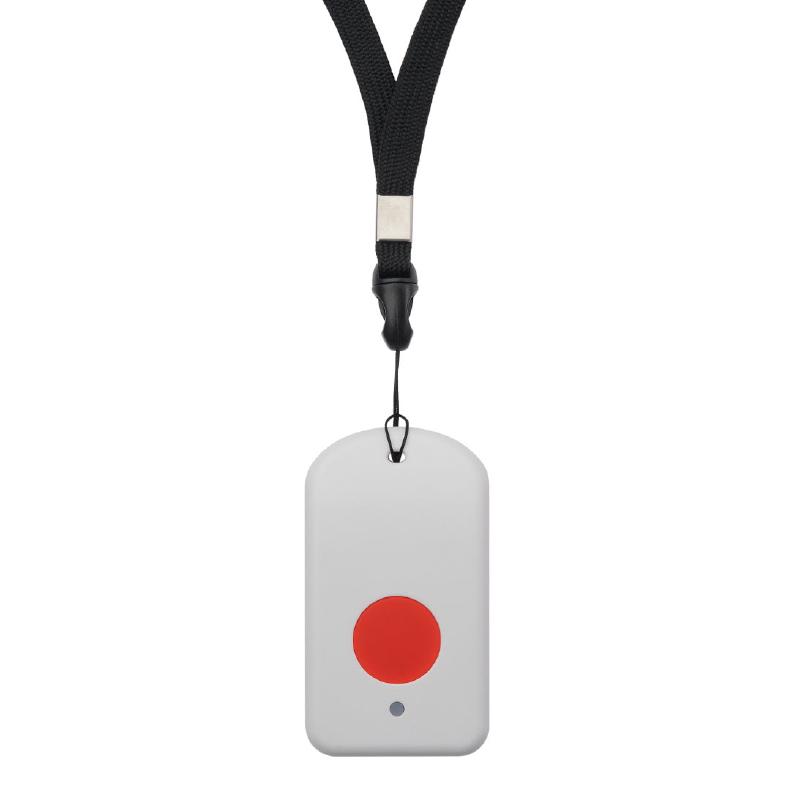
About this device
The Dragino LBT1 is a LoRaWAN® Bluetooth tracker that consists of a motion sensor and an iBeacon scanner. LBT1 scans and finds the nearest i-Beacon info and sends it to an IoT server via LoRaWAN wireless network.
The LBT1 supports 8 regional frequency plans and operates as a Class A LoRaWAN device.
Key features
- Sensors: motion.
- 8 frequency plans supported: AU915-928, CN470-510, EU433, EU863-870, IN865-867, KR920-923, RU864-870, US902-928.
Vendor
At a glance
More from Enthu Technology Solutions India Pvt Ltd
LDDS20
LDDS75
LDS01
Hardware specifications
| Model ID | lbt1 |
Sensors & capabilities
Certifications & compliance
Standards
Network profiles
Capabilities are defined per firmware version and frequency plan, exactly as published in the repository.
Firmware 1.0
| Frequency plan | MAC | Reg. params | Class | Join | Max EIRP | Certified |
| AU915-928 | 1.0.3 | RP001-1.0.3-RevA | A | OTAA | 16 dBm | — |
| CN470-510 | 1.0.3 | RP001-1.0.3-RevA | A | OTAA | 16 dBm | — |
| EU433 | 1.0.3 | RP001-1.0.3-RevA | A | OTAA | 16 dBm | — |
| EU863-870 | 1.0.3 | RP001-1.0.3-RevA | A | OTAA | 16 dBm | — |
| IN865-867 | 1.0.3 | RP001-1.0.3-RevA | A | OTAA | 16 dBm | — |
| KR920-923 | 1.0.3 | RP001-1.0.3-RevA | A | OTAA | 16 dBm | — |
| RU864-870 | 1.0.3 | RP001-1.0.3-RevA | A | OTAA | 16 dBm | — |
| US902-928 | 1.0.3 | RP001-1.0.3-RevA | A | OTAA | 16 dBm | — |
Frequency plan coverage
Add to The Things Stack
Manual setup
Create an application
In The Things Stack console, go to Applications → Create application and pick a unique application ID.
Register an end device
Choose From the LoRaWAN Device Repository and search for “LBT1”. Select your firmware version and frequency plan.
Enter device credentials
Provide the DevEUI, JoinEUI and AppKey printed on the device label or QR code.
Power on & verify uplinks
Within a few minutes you'll see the join request and uplinks in the Live data tab.