
Sound Level Meter
The IoTsens Sound Level Meter has an integrated microphone (sound sensor) that can monitor noise levels. The collected data is transmitted over the LoRaWAN® network for further processing.
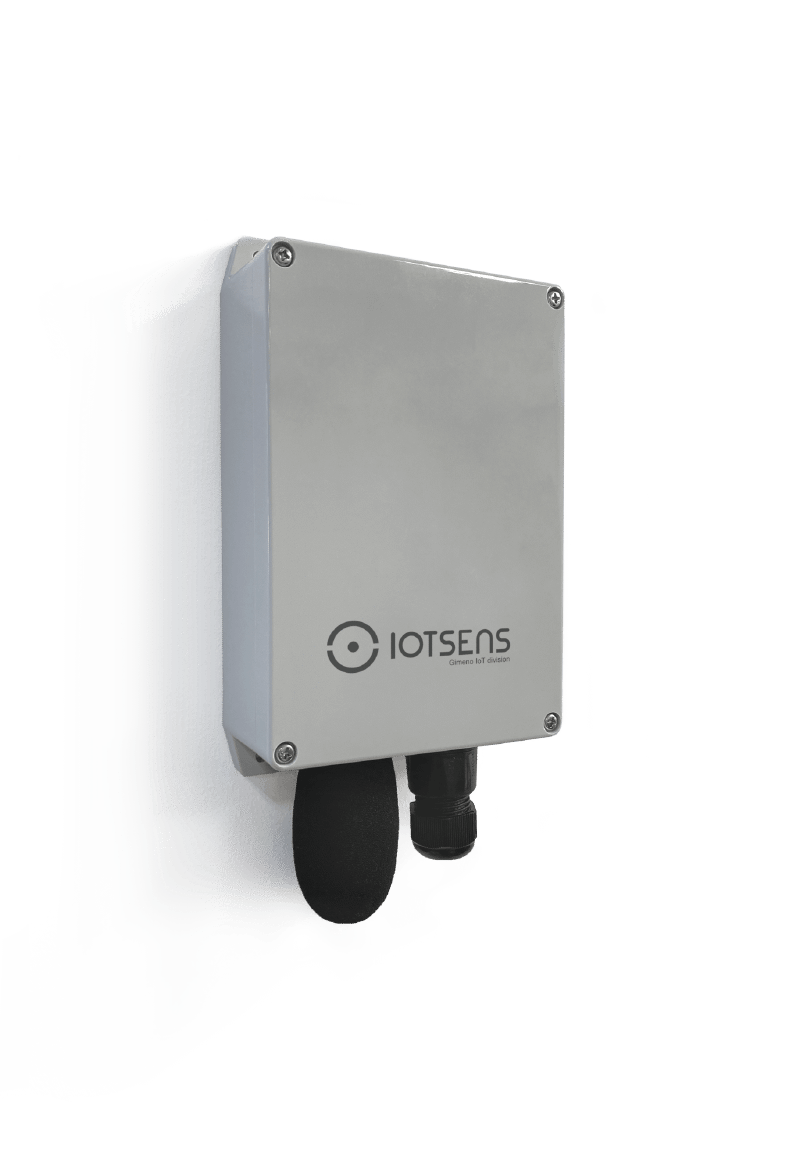
About this device
The IoTsens Sound Level Meter has an integrated microphone (sound sensor) that can monitor noise levels. The collected data is transmitted over the LoRaWAN® network for further processing.
The Sound Level Meter supports 4 regional frequency plans and operates as a Class A LoRaWAN device.
Key features
- Sensors: sound, battery, temperature.
- 4 frequency plans supported: AS923, AU915-928, EU863-870, US902-928.
Vendor
At a glance
More from IoTsens Gimeno IoT Division
Air Quality Monitor
Optical Distance Monitor
Hardware specifications
| Model ID | sound-device |
| Dimensions | 250 × 120 × 60 mm |
| Weight | 610 g |
| IP rating | IP65 |
| Operating temperature | -20 °C to 65 °C |
| Relative humidity | 0% to 1% |
Sensors & capabilities
Certifications & compliance
Standards
Network profiles
Capabilities are defined per firmware version and frequency plan, exactly as published in the repository.
Firmware 1.0
| Frequency plan | MAC | Reg. params | Class | Join | Max EIRP | Certified |
| AS923 | 1.0.2 | RP001-1.0.2-RevB | A | OTAA | 14 dBm | — |
| AU915-928 | 1.0.2 | RP001-1.0.2-RevB | A | OTAA | 14 dBm | — |
| EU863-870 | 1.0.2 | RP001-1.0.2-RevB | A | OTAA | 14 dBm | — |
| US902-928 | 1.0.2 | RP001-1.0.2-RevB | A | OTAA | 14 dBm | — |
Frequency plan coverage
Add to The Things Stack
Manual setup
Create an application
In The Things Stack console, go to Applications → Create application and pick a unique application ID.
Register an end device
Choose From the LoRaWAN Device Repository and search for “Sound Level Meter”. Select your firmware version and frequency plan.
Enter device credentials
Provide the DevEUI, JoinEUI and AppKey printed on the device label or QR code.
Power on & verify uplinks
Within a few minutes you'll see the join request and uplinks in the Live data tab.