omni-rm-4pu204eu
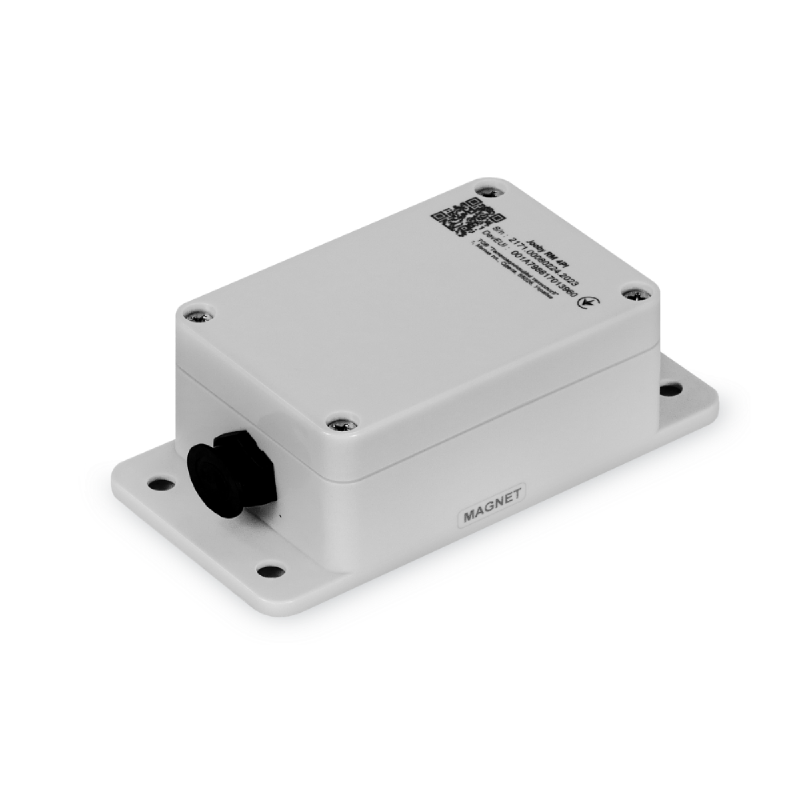
Jooby OMNI RM 4PU204EU KT 304935
About this device
Jooby OMNI RM 4PU204EU KT 304935
The omni-rm-4pu204eu supports 1 regional frequency plan and operates as a Class A LoRaWAN device. A payload codec is published in the repository, so uplinks are decoded automatically when you onboard it to The Things Stack.
Key features
- Sensors: battery, analog input, pulse count.
- Payload codec included, uplink decoder ready for one-click activation.
- 1 frequency plan supported: EU863-870.
- Battery powered.
Vendor
At a glance
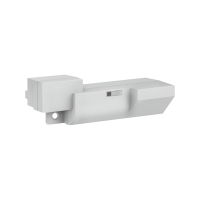
Hardware specifications
| Model ID | omni-rm-4pu204eu |
| Dimensions | 70 × 140 × 50 mm |
| Weight | 205 g |
| IP rating | IP65 |
| Operating temperature | -30 °C to 85 °C |
| Power | Battery |
Sensors & capabilities
Certifications & compliance
Standards
Network profiles
Capabilities are defined per firmware version and frequency plan, exactly as published in the repository.
Firmware 1.0
| Frequency plan | MAC | Reg. params | Class | Join | Max EIRP | Certified |
| EU863-870 | 1.0.2 | RP001-1.0.2-RevB | A | OTAA | 14 dBm | — |
Frequency plan coverage
Live decoder playground
Decode any hex payload client-side with the device's published codec, the exact code The Things Stack runs.
// pick an example or paste a payload, then Decode
Example uplink from The Things Stack
The full JSON message your application receives via MQTT or webhook when this device sends the payload above, raw bytes, decoded fields and radio metadata included.
// decode a payload above to see the full envelope
Codec source
// loading codec…
Add to The Things Stack
Manual setup
Create an application
In The Things Stack console, go to Applications → Create application and pick a unique application ID.
Register an end device
Choose From the LoRaWAN Device Repository and search for “omni-rm-4pu204eu”. Select your firmware version and frequency plan.
Enter device credentials
Provide the DevEUI, JoinEUI and AppKey printed on the device label or QR code.
Power on & verify uplinks
Within a few minutes you'll see the join request and decoded uplinks in the Live data tab.