
Windy Module
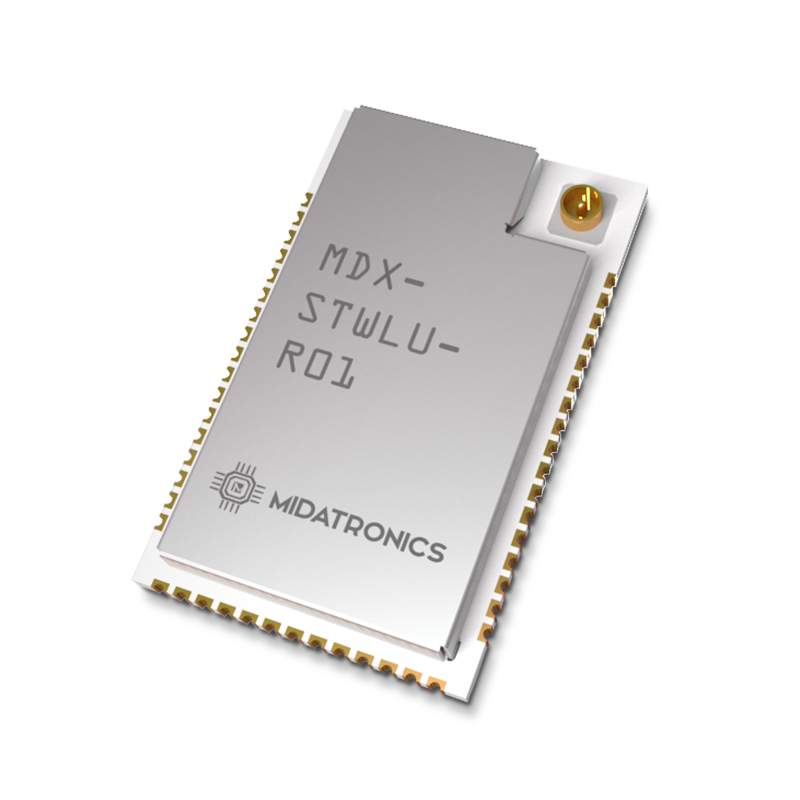
The Midatronics Windy Module is based on the ST Microelectronics STM32WL, System-On-Chip integrates both a general-purpose microcontroller and a sub-GHz radio on the same chip. Built on an Arm® Cortex®‐M4 core architecture, STM32WL microcontrollers also support multiple modulations – LoRa®, (G)FSK, (G)MSK, BPSK – to ensure flexibility in wireless applications with LoRaWAN®, Sigfox® or any other suitable protocol in a fully open way.
About this device
The Midatronics Windy Module is based on the ST Microelectronics STM32WL, System-On-Chip integrates both a general-purpose microcontroller and a sub-GHz radio on the same chip. Built on an Arm® Cortex®‐M4 core architecture, STM32WL microcontrollers also support multiple modulations – LoRa®, (G)FSK, (G)MSK, BPSK – to ensure flexibility in wireless applications with LoRaWAN®, Sigfox® or any other suitable protocol in a fully open way.
The Windy Module supports 1 regional frequency plan and operates as a Class A LoRaWAN device.
Key features
- 1 frequency plan supported: EU863-870.
Vendor
At a glance
Hardware specifications
| Model ID | windy-module |
| Dimensions | 14.6 × 23 × 0 mm |
Sensors & capabilities
No sensors listed for this device.
Certifications & compliance
Standards
Network profiles
Capabilities are defined per firmware version and frequency plan, exactly as published in the repository.
Firmware 1.0
| Frequency plan | MAC | Reg. params | Class | Join | Max EIRP | Certified |
| EU863-870 | 1.0.2 | RP001-1.0.2-RevB | A | OTAA | 22 dBm | — |
Frequency plan coverage
Add to The Things Stack
Manual setup
Create an application
In The Things Stack console, go to Applications → Create application and pick a unique application ID.
Register an end device
Choose From the LoRaWAN Device Repository and search for “Windy Module”. Select your firmware version and frequency plan.
Enter device credentials
Provide the DevEUI, JoinEUI and AppKey printed on the device label or QR code.
Power on & verify uplinks
Within a few minutes you'll see the join request and uplinks in the Live data tab.