
RHF1S213 - Ultrasonic Water Meter
LORAWAN Ultrasonic Intelligent Water Meter
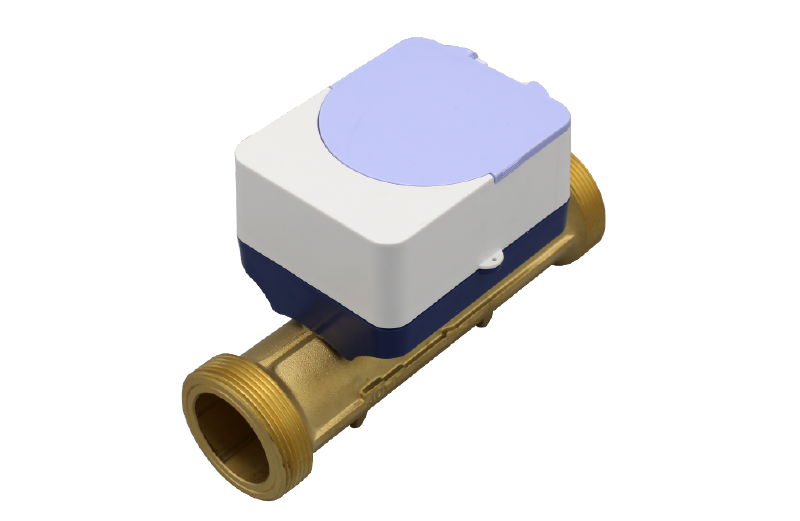
About this device
LORAWAN Ultrasonic Intelligent Water Meter
The RHF1S213 - Ultrasonic Water Meter supports 7 regional frequency plans and operates as a Class A LoRaWAN device.
Key features
- Sensors: water.
- 7 frequency plans supported: AS923, AU915-928, EU863-870, IN865-867, KR920-923, RU864-870, US902-928.
- Battery powered (Lithium), user replaceable.
Vendor
At a glance
More from RuiXingHengFang Network(Shenzhen) Co.
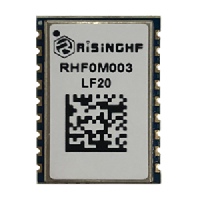
RHF0M003
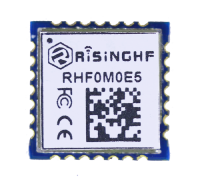
RHF0M0E5
RHF1S052 - Water Meter
Hardware specifications
| Model ID | rhf1s213 |
| IP rating | IP68 |
| Operating temperature | 0 °C to 30 °C |
| Power | Battery — Lithium, replaceable |
Sensors & capabilities
Certifications & compliance
Standards
Network profiles
Capabilities are defined per firmware version and frequency plan, exactly as published in the repository.
Firmware v4.1.6
| Frequency plan | MAC | Reg. params | Class | Join | Max EIRP | Certified |
| AS923 | 1.0.3 | RP001-1.0.3-RevA | A | OTAA | 20 dBm | — |
| AU915-928 | 1.0.3 | RP001-1.0.3-RevA | A | OTAA | 20 dBm | — |
| EU863-870 | 1.0.3 | RP001-1.0.3-RevA | A | OTAA | 20 dBm | — |
| IN865-867 | 1.0.3 | RP001-1.0.3-RevA | A | OTAA | 20 dBm | — |
| KR920-923 | 1.0.3 | RP001-1.0.3-RevA | A | OTAA | 20 dBm | — |
| RU864-870 | 1.0.3 | RP001-1.0.3-RevA | A | OTAA | 20 dBm | — |
| US902-928 | 1.0.3 | RP001-1.0.3-RevA | A | OTAA | 20 dBm | — |
Frequency plan coverage
Add to The Things Stack
Manual setup
Create an application
In The Things Stack console, go to Applications → Create application and pick a unique application ID.
Register an end device
Choose From the LoRaWAN Device Repository and search for “RHF1S213 - Ultrasonic Water Meter”. Select your firmware version and frequency plan.
Enter device credentials
Provide the DevEUI, JoinEUI and AppKey printed on the device label or QR code.
Power on & verify uplinks
Within a few minutes you'll see the join request and uplinks in the Live data tab.