
YO 360
YO 360 measures temperature and humidity, and it sends its own position on the x, y, and z axes (via a built-in accelerometer). Its small size, battery power supply, and wide data transmission range allow the device to be used virtually anywhere. The device is equipped with a lithium battery with a very low level of self-discharge.
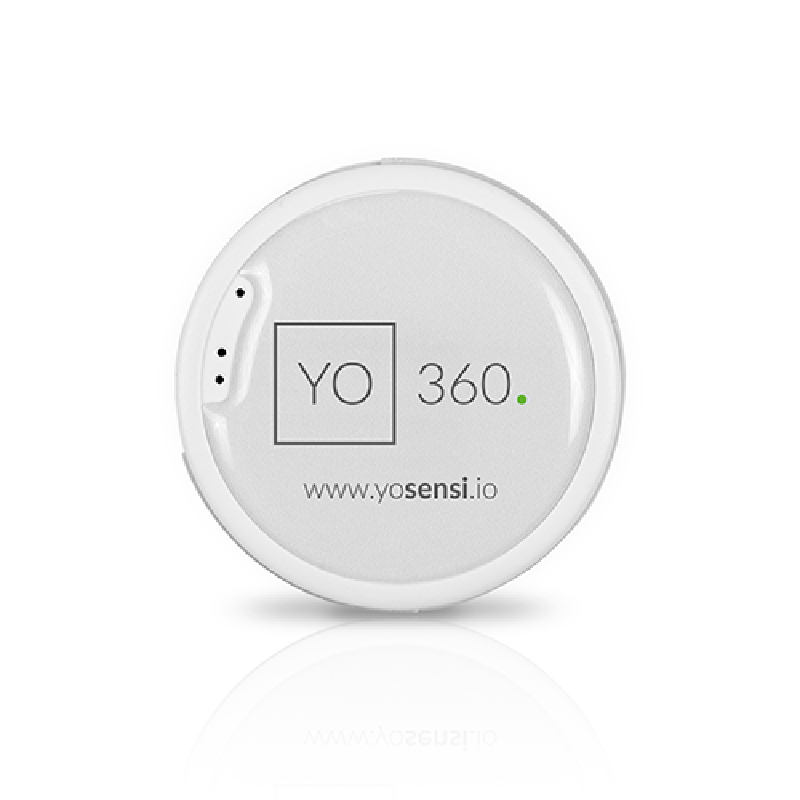
About this device
YO 360 measures temperature and humidity, and it sends its own position on the x, y, and z axes (via a built-in accelerometer). Its small size, battery power supply, and wide data transmission range allow the device to be used virtually anywhere. The device is equipped with a lithium battery with a very low level of self-discharge.
The YO 360 supports 4 regional frequency plans and operates as a Class A LoRaWAN device.
Key features
- Sensors: accelerometer, temperature, humidity.
- LoRa Alliance certified, verified interoperability with The Things Stack and other LoRaWAN network servers.
- 4 frequency plans supported: AS923, AU915-928, EU863-870, US902-928.
- Battery powered (1 x CR2450 3V), user replaceable.
Vendor
At a glance
More from Yosensi Sp. z o.o.
YO Agribox
YO Airflow
YO Airflow Pro Dual
Hardware specifications
| Model ID | yo-360 |
| Dimensions | ⌀ 47 mm × 13 mm high |
| Weight | 18.6 g |
| IP rating | IP40 |
| Power | Battery — 1 x CR2450 3V, replaceable |
| Additional radios | ble |
Sensors & capabilities
Certifications & compliance
Standards
Network profiles
Capabilities are defined per firmware version and frequency plan, exactly as published in the repository.
Firmware 3.1.0
| Frequency plan | MAC | Reg. params | Class | Join | Max EIRP | Certified |
| AS923 | 1.0.2 | RP001-1.0.2-RevB | A | OTAA | 16 dBm | Yes |
| AU915-928 | 1.0.2 | RP001-1.0.2-RevB | A | OTAA | 30 dBm | Yes |
| EU863-870 | 1.0.2 | RP001-1.0.2-RevB | A | OTAA | 16 dBm | Yes |
| US902-928 | 1.0.2 | RP001-1.0.2 | A | OTAA | 30 dBm | Yes |
Firmware 3.6.1
| Frequency plan | MAC | Reg. params | Class | Join | Max EIRP | Certified |
| AS923 | 1.0.2 | RP001-1.0.2-RevB | A | OTAA | 16 dBm | Yes |
| AU915-928 | 1.0.2 | RP001-1.0.2-RevB | A | OTAA | 30 dBm | Yes |
| EU863-870 | 1.0.2 | RP001-1.0.2-RevB | A | OTAA | 16 dBm | Yes |
| US902-928 | 1.0.2 | RP001-1.0.2 | A | OTAA | 30 dBm | Yes |
Frequency plan coverage
Add to The Things Stack
Manual setup
Create an application
In The Things Stack console, go to Applications → Create application and pick a unique application ID.
Register an end device
Choose From the LoRaWAN Device Repository and search for “YO 360”. Select your firmware version and frequency plan.
Enter device credentials
Provide the DevEUI, JoinEUI and AppKey printed on the device label or QR code.
Power on & verify uplinks
Within a few minutes you'll see the join request and uplinks in the Live data tab.