
Devices
Device Firmware Upgrading
Outdated: this section documents The Things Network V2, which is no longer maintained. See the documentation for The Things Stack V3, or browse the V2 docs index.
If the firmware version of your RAK7204 LoRa Environmental Sensor is newer than V3.0.0.0 or you have just burned the bootloader into RAK7204 according to the Burning Bootloader into the Device section, you just need to burn the upgrade firmware according to the following steps now:
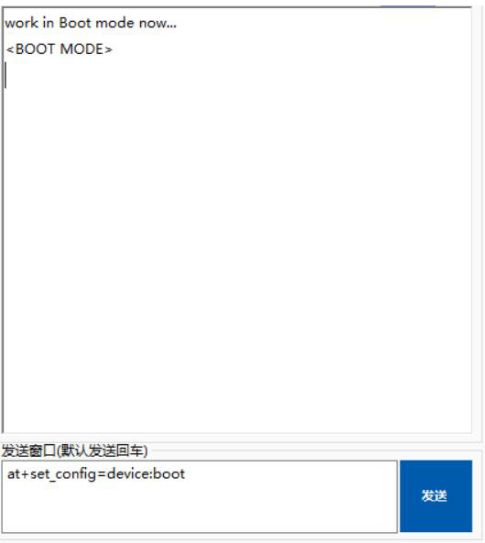
1 . First, open and download the RAK Serial Port Tool here. Then, connect the board to your PC and enter AT command below at the serial terminal to let it work in boot mode.
at+set_config=device:boot
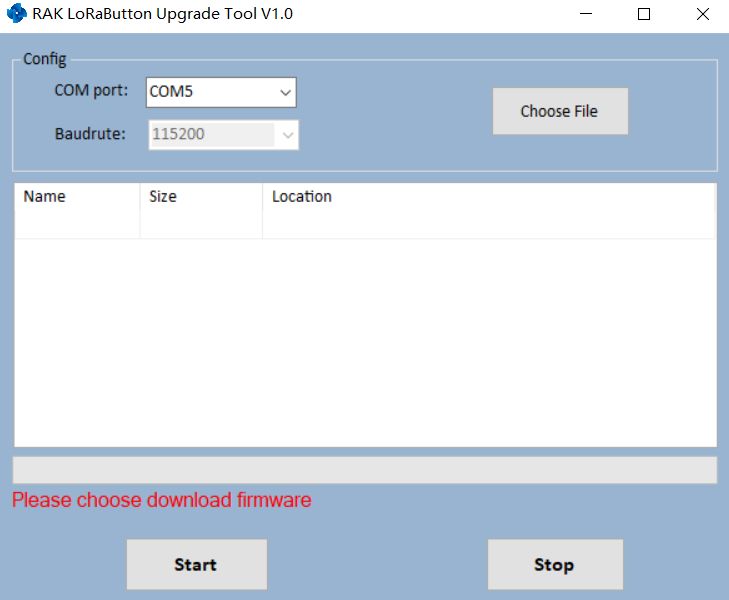
2 . Next, download the RAK Upgrade Tool from the RAKwireless website here then, open the tool.
3 . Download the latest firmware here for the RAK7204.
Note: Make sure to pick the appropriate bin file depending on the region you are in. “RUI_RAK7204_V3.x.x.x.H” supported regions are: IN865, EU868, US915, AU915, KR920, AS920, AS923 “RUI_RAK7204_V3.x.x.x.L” supported regions are: EU433, CN470 Visit this article for more information on your local TTN frequency plan.
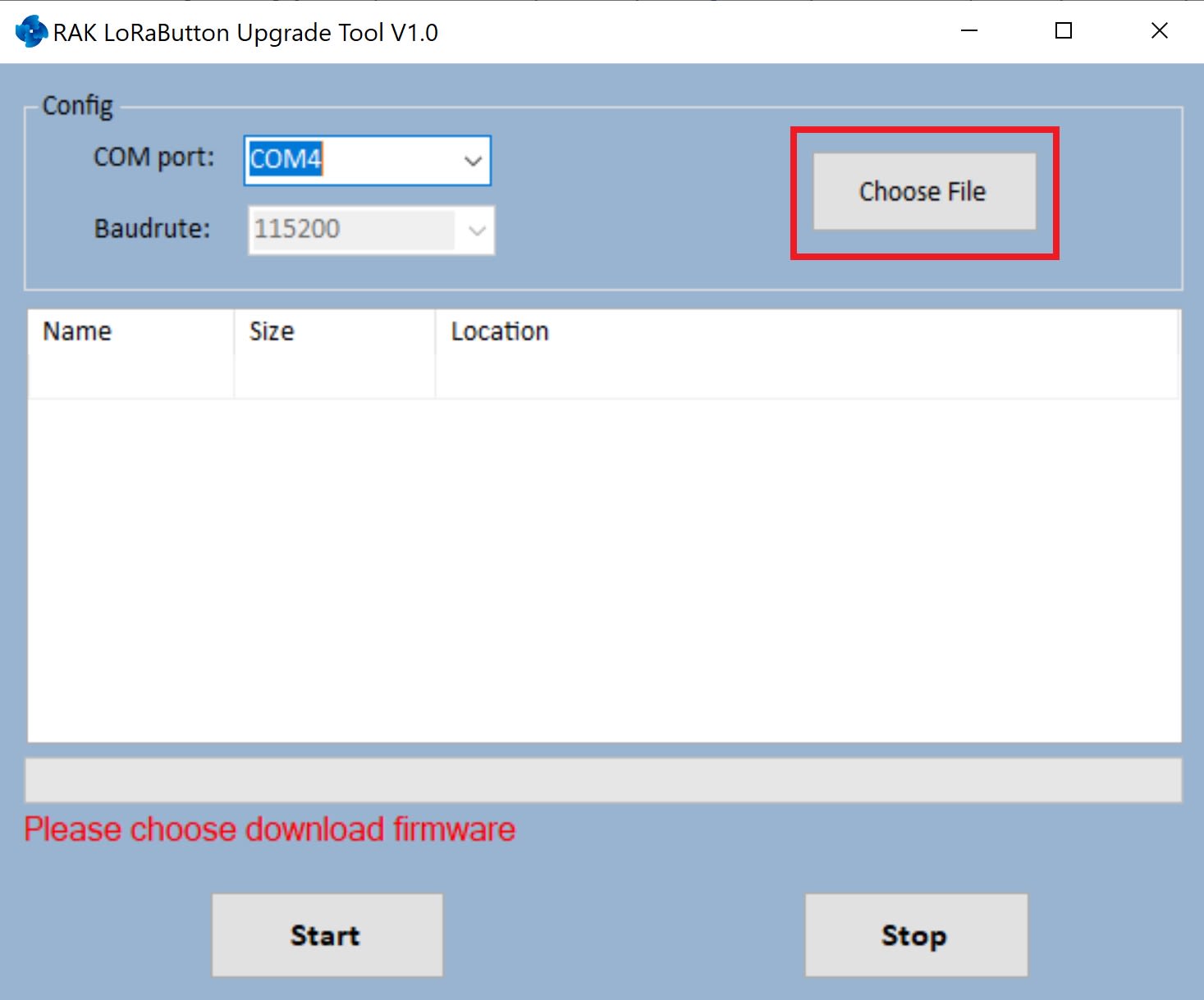
4 . Click “Choose File” then choose the firmware that you have just downloaded:
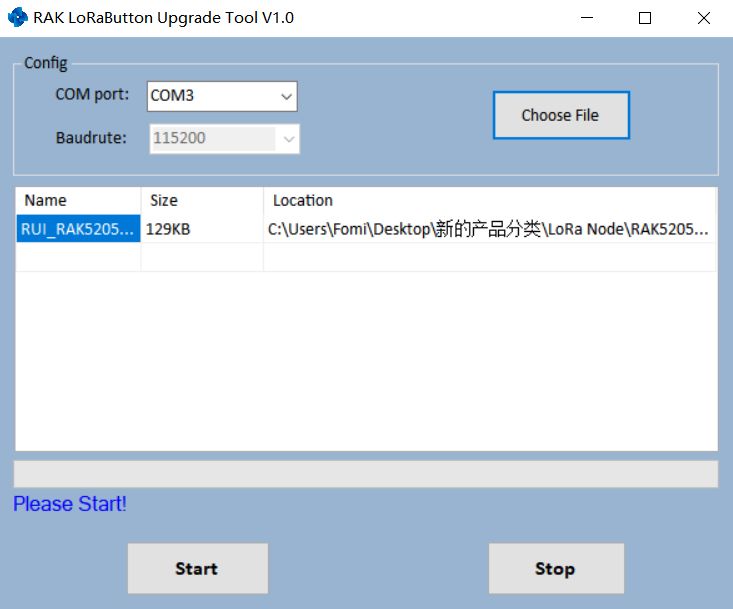
5 . Choose the correct “COM Port”, then click Start to Upgrade and wait for a couple of minutes. If it won’t start, push the reset button on your RAK7204.
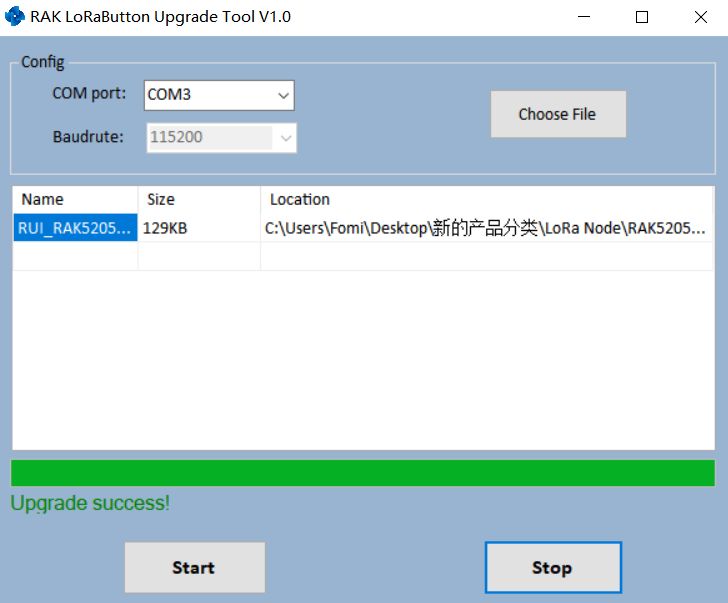
6 . Now, close the upgrade tool and open a serial port tool.
- We recommend you to use RAK serial port tool with AT command capabilities. You can get it from RAK website available for free at this RAK directory.
7 . Choose the correct COM port and set the baud rate to 115200. Then open the serial port and enter the AT command below to restart.
at+set_config=device:restart
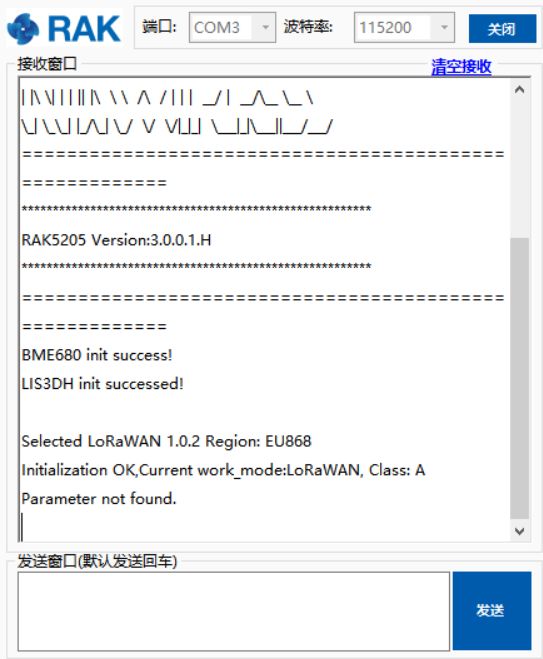
Congrats! This information means that you have upgraded successfully the new firmware.
In the next section, you will know how to configure your RAK7204 LoRa Environmental Sensor using the available AT commands.