For ttn device nodes the TTN Node-RED Quick Start links to “and other device events”, which I guess translates to:
- down/scheduled
- down/sent
- down/acks
- up/errors
- down/errors
- activations/errors
I’ve tested a few from the list. Indeed, for example down/scheduled, down/sent and down/errors work for me, but wildcards such as # or down/+ are not allowed, and just errors shows no results even when down/errors gets an event:
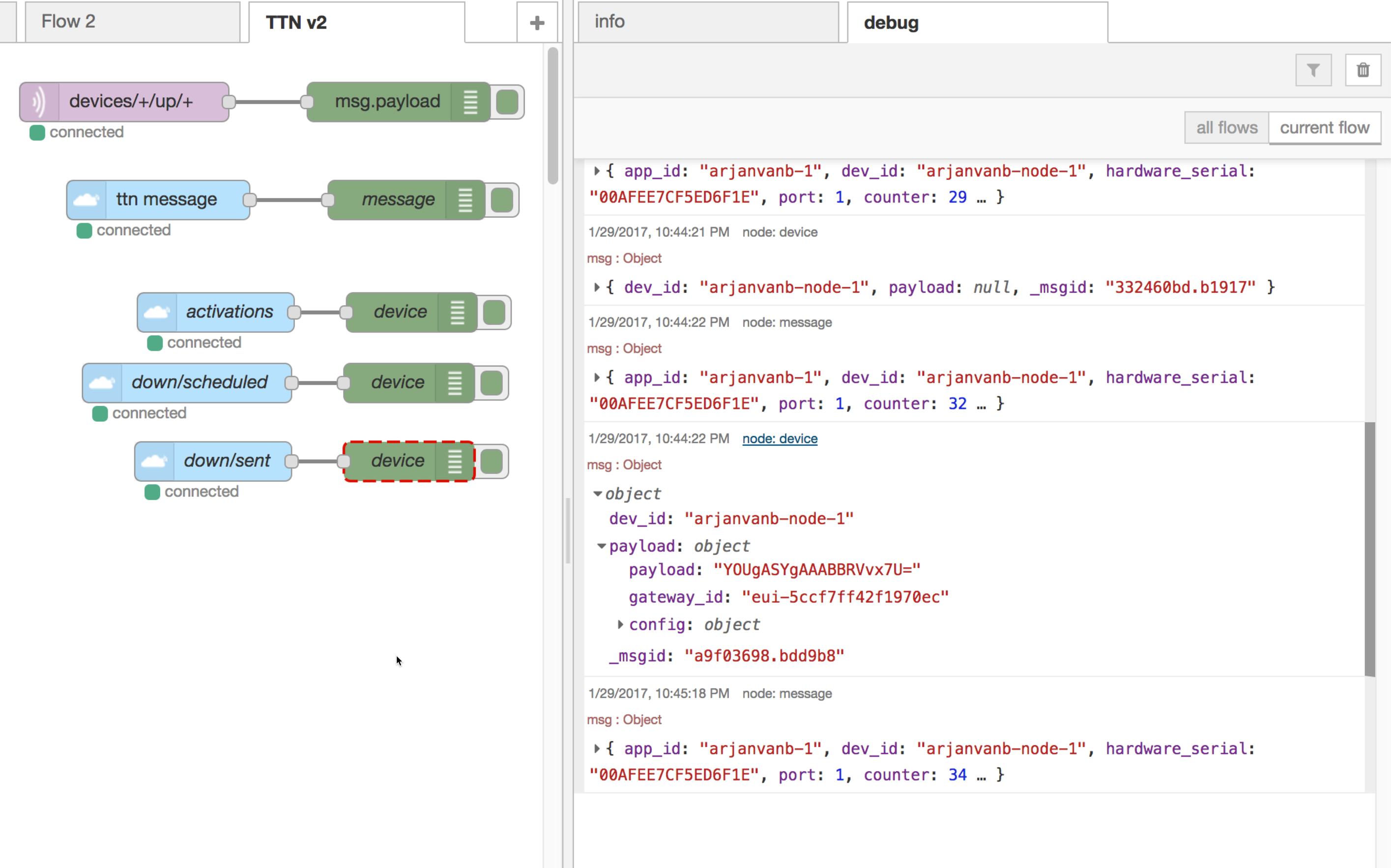
To test down/errors: in TTN Console go to the device and schedule a downlink of type “fields”, entering something like {"foo": "bar"} without providing an encoder payload function. When the downlink is to be sent (after an uplink was received) this will throw “Downlink Payload not valid: fields supplied, but no Encoder function set”. To get rid of that error, just schedule another downlink of type “bytes” and enter something like 00.