Kickstarter gateway, with a little help of my friend

Reviving the TTN Kickstarter Gateway in 2026

Ever since the TTN Kickstarter project delivered its gateway, I have been running one or more of them. They serve me well overall, though not without their quirks. In the early days, finding stable firmware was a real challenge, but that has long been sorted out. Digging through my records, I found that I bought a PICkit4 back in March 2018 specifically to be able to flash these devices.

As I recalled, the software was open source, inviting the community to build on it and make the Kickstarter gateway a more versatile device. With that in mind, I forked the codebase and was ready to start adding features. It soon became clear, however, that TTI was far more reserved about accepting merge requests, and development stalled almost completely, the occasional update trickled through, but that was about it.

I still have a soft spot for this gateway. It is a true embedded device, one of a kind. The downside is the significant vendor lock-in on Microchip; hardware manufacturer decisions heavily constrain the software, making changes genuinely difficult. Even with my current knowledge, it is no easy task.

Anno 2026: New Tools, New Possibilities

The KSG project never left the table, it just gathered some dust. Over the past months I have managed to revive a number of dormant projects with the help of LLMs like Claude, so the time felt right to give it a try on the Kickstarter gateway software as well.

After a few hours of prompting, I had a build chain set up, compilation verified, and an initial investigation of the codebase underway. That gave me enough confidence to start making some targeted changes.

Fix 1: WiFi AP Always On The first issue I tackled was the WiFi access point being permanently active, even when a wired Ethernet connection is present. The 2.4 GHz band in my shack is already crowded, so silencing any unnecessary interferer is very welcome. Claude’s analysis revealed code that was never called and incomplete logic governing the WiFi client, AP, and Ethernet connection. A solution was proposed, I implemented it, compilation succeeded, and, since my PICkit4 turned out to be dead after years of sitting unused, I tested via SD card. It worked!

Fix 2: Expired Certificates Feeling confident, I turned my attention to certificates embedded in the code. Claude flagged one that had already expired and another due to expire shortly. Since I intend to keep using this gateway, that had to be resolved. A plan was drawn up, verified by me, and executed. And it worked!

If you want to test this on your own KSG, you can download the SD card firmware here: gateway/releases/1.1.3 at upd-only · pe1mew/gateway · GitHub

A Note on LLMs There is plenty to say about using LLMs, both for and against. This thread is not the place for that debate, though. Please keep discussions about the ethics and philosophy of LLMs and coding elsewhere, in a constructive spirit and with an open mind to different perspectives.

For me, this has been an inspiring experience: breathing new life into an old project that still matters to me. I hope it inspires you too.

3 Likes

2 posts were split to a new topic: LLM discussions

Do not discuss LLMs here, use the alternate topic for that purpose.

This topic is regarding the alternate KGW firmware only.

Aww come on.. my message really was meant as a compliment. Re-posting the serious part of my message anyway:

Awesome work man, I may try this on ‘my’ (it’s actually @Jeff-UK’s) gateway soon.

1 Like

No worries, I read between the lines.

As soon as I started testing my changes new issues surfaced.

Version 1.1.6 solves the issue with update server. gateway/releases/1.1.6 at upd-only · pe1mew/gateway · GitHub you can now update agian to the latest stable(?) version from TTI.

One question that arises with me is, should I keep using TTI account server if update server serves me obsolete firmware? But that is only one out of many more :wink:

Excellent question. Are you able to change it to another update server and would someone (or a couple of someone’s) be willing to host it and keep updating the firmware over time?

I hope I’ll be able to find some time in the near future to give your version a spin.

1 Like

Update server is currently issued through an account server if I am not mistaken. We should host that last one.

Else we have to move away from TTI account server

Let me think what we kan do with hosting.

1 Like

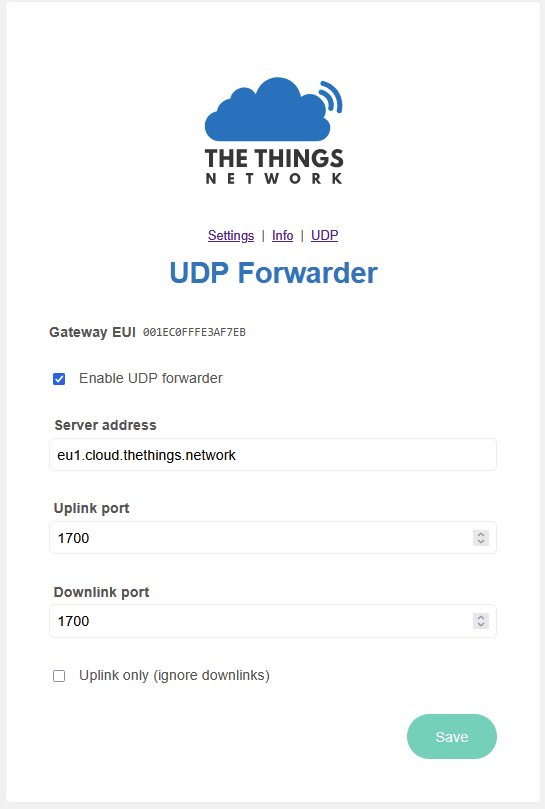
My current experiment is to add a UDP forwarder :zany_face:

Add or replace the MQTT based one? If you really like a challenge, get Basic Station running :grinning_face_with_smiling_eyes:

So True, however I do not see the benefit of Basic Station for my purpose. A lot of headache and plenty of other projects to revive. I know my choice

1 Like

Sneak preview:

2 Likes

Some updates from my side before I will give it a rest for now:

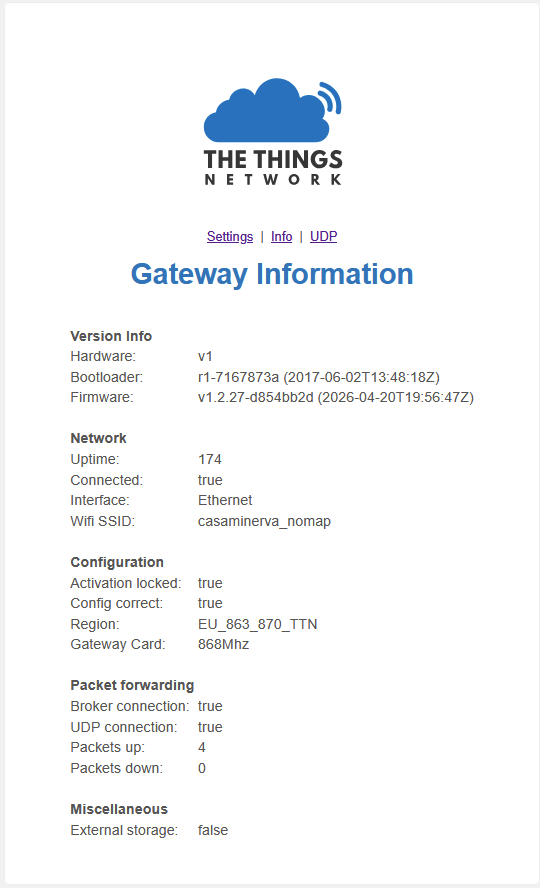
1.1.3 	Fix: WiFi AP behaviour. AP switches off when not used.
        Fix: CA certificate update
1.1.6 	Fix: FOTA TLS handshake failure. FOTA works again
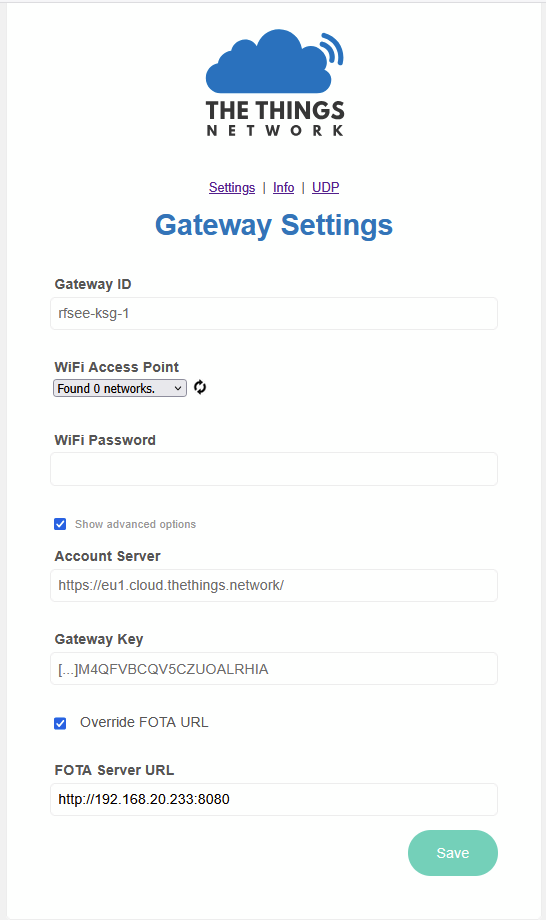
1.2.28	Feature added: FOTA server override. 
                       (fixed multiple issues that revealed after
                        adding the feature)
        Feature added: UDP packet forwarder.

Version 1.2.28 Is still under test. Downlink packet over UDP is not verified yet! (It is rather difficult to switch off all gateways here without disrupting service :innocent: )

I created a FOTA server to test FOTA override. The FOTA server is made available at: GitHub - pe1mew/ttksgfotasrv: The Things Kickstarer Gateway FOTA server · GitHub and running at: https://pe1mew.nl/fotasrv/. Currently is version 1.2.28 served.

with the FOTA override and the FOTA server it is now possible to update the firmware without a expensive programmer and a complex toolchain and boot from flash instead of SD-card. The steps are:

  1. download cecksums and firmware.hex from a FOTA server like: https://pe1mew.nl/fotasrv/, or your own.
  2. copy to sd card and boot gateway with it.
  3. the firmware will update the firmware in flash.
  4. remove SD card and reboot.
  5. the firmware in flash will (again) download latest firmware and set things right internally
  6. you have completely migrated to the latest firmware.

Thats all for now.

2 Likes