
Update from Spokane
First Packet Forwarder / Gateway Live For The Things Network | Spokane LoRa
With The Things Network gateway on back order, Spokane LoRa spent the weekend testing point to point ranges with two Dragino LoRa shields and two arduinos. That
With The Things Network gateway on back order, Spokane LoRa spent the weekend testing point to point ranges with two Dragino LoRa shields and two arduinos. That got a bit boring though, so we looked through the hardware available to us and found a Raspberry Pi 1 B!
There are a few projects out there for Raspberry Pi 2 / 3 and 1 b +, but only could find one relevant project for the Dragino LoRa shield and and Raspberry Pi 1 B to have the Pi function as a packet forwarder. Packet forwarders are not completely LoRaWAN compliant as they can only listen on one frequency at a time and accept connection for only one device at a time. For us, wanting to do range testing and application testing with The Things Network https://thethingsnetworks.org a packet forwarder would work perfectly. We’ll have to do some work with amplifiers at a later date to maximize the range, but it will at least get us communicating and able to test.
We were able to follow the directions here but ran into a few things that have changed since this was published.
http://www.instructables.com/id/Use-Lora-Shield-and-RPi-to-Build-a-LoRaWAN-Gateway/step7/Build-a-single-channel-LoRaWAN-gateway/
Things we had to modify / weren’t clear (probably due to our inexperience):
Newer versions of the Dragino LoRa shield do not include a 5v to 3.3v regulator, you must hook up both 3.3v and 5.v from the raspberry pi
You’ll need to know the pins used in icsp
When they refer to CS_a(nss) it is pin 10 on the Dragino Board
I found an additional project using a pi3 a great resource available here
http://www.mobilefish.com/developer/lorawan/lorawan_quickguide_build_lora_gateway.html
Here are the pinouts that were helpful for us when hooking it all up:

source:(http://www.slideshare.net/lentinjoseph/exploring-raspberry-pi)

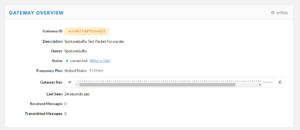
Once we modified the directions between the two slightly we were able to add the gateway into our TTN Account. You can see the status of this and any gateway we add here:
https://www.thethingsnetwork.org/u/SpokaneLoRa – then select “gateways”

The instructions and examples we used from Instructables and Mobilefish were huge helps! We hope to keep posting more updates as gateways come online and we start to do more range testing.