@htdvisser Hylke, @descartes Nick, dont know if this helps your statistics gathering but a quick summary of my own TTIG V3 set-up experience so far.
As reported here Connecting TTIG to TTN V3 - #110 by Jeff-UK I set up my 1st TTIG on V3 using the claim process outlined by Hylke just over 3 weeks ago and experienced no problems, with GW quickly online after claim and power cycle. That unit was subsequently deployed for a short week near Bournmouth on the UK south coast to assist in some coverage mapping and survey work before returning to base office/lab where again it reconnected and came online no problems and then deployed for a long week down in Cornwall for similar exercise before returning to base again at the weekend. It looks stable on V3 and so will be redeployed back to original Cheshire site sometime next month.
In total I have 5 of my personal GW estate deployed on V3 so far - this included 3 TTIGs that have previiously been on V2 so my epxerience is around migration and claiming vs new deployments.
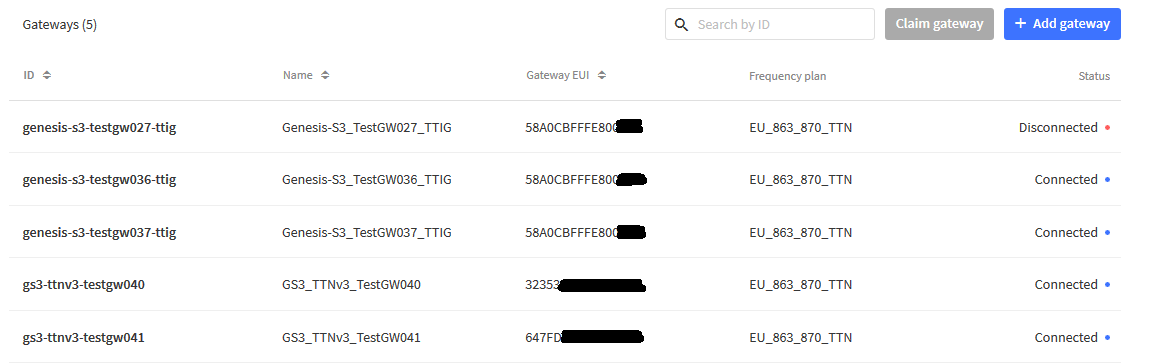
The other two were new deployments direct to V3 (Mikrotik & Tektelic Kona Micro), which again went fine.
My problem is most of my own TTIG’s and all those of clients or collaborators/colleagues I have helped deploy are remote and I dont have immediate access to Wi-Fi codes to effect migrations… more later.
On monday evening I decided to migrate the only other unit I had physical access to - TestGW037 - and so had claim code. As with TestGW036 the claim process went smoothly and again after a quick power cycle I could see it come online and start handling traffic. I remembered that one of the consequences of prior poor eyesight (before the bionic uplift  ) and small printing on the TTIG labels was I often resorted to using a magnifying glass or taking smartphone pic to zoom in and make sure I was not mis-typing EUI or WiFi codes. - a trawl through some 2 years worth of photo archives revealed I had pictures of lables, and hence the Wi-fi codes, for ~60% of deployed TTIG estate - result!
Armed with that I decided to try my 1st remote TTIG migration - based in Congleton, Cheshire (a relocation late '20 from north Manchester), where GW is none critical as site is awaiting sensor deployment next month so a low traffic/no traffic site as yet… If all went wrong I knew the site host had easy access to power-cycle, recover or return if needed. This ‘claim’ also went well with no issues. I decided to not disturb the site host to power cycle (not least as it was late night) but rather settled down to see how long it took to self refresh and complete migration. The image above reflects some 20-22hrs after claim…hence ‘disconnected’ at that time… a subsequent check after approx 25hrs (late Tues night/early Wed morning) showed it had self refreshed and was now online!
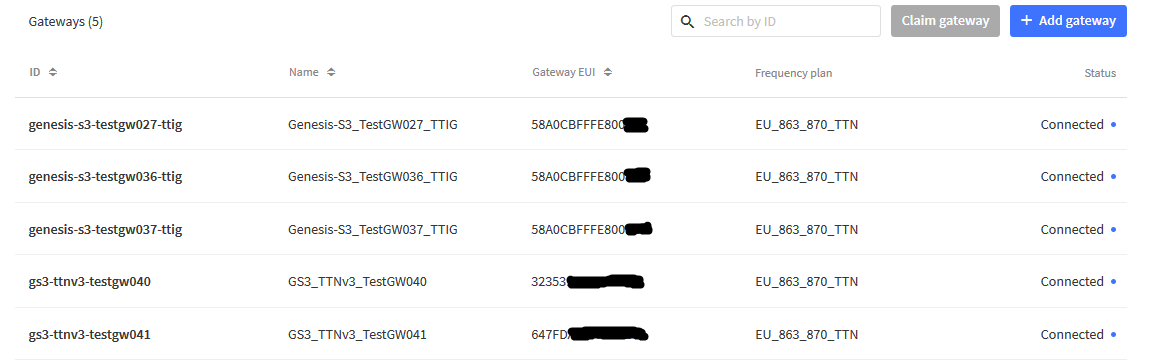
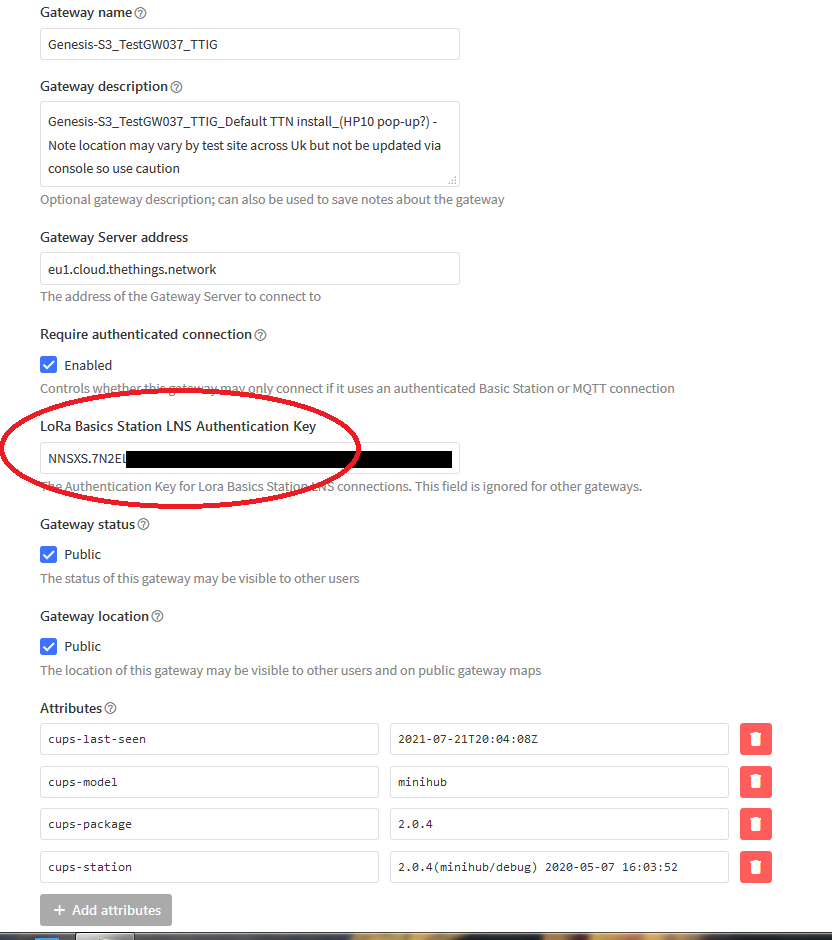
I’ve read the various comments wrt lack of LNS network key populating in the console indicating a failed claim… as can be seen from 1st claim 3 weeks back (link above) for TestGW036 there is no key shown - and yet the GW has performed admirably. TestGW037 shows a LNS key inplace:
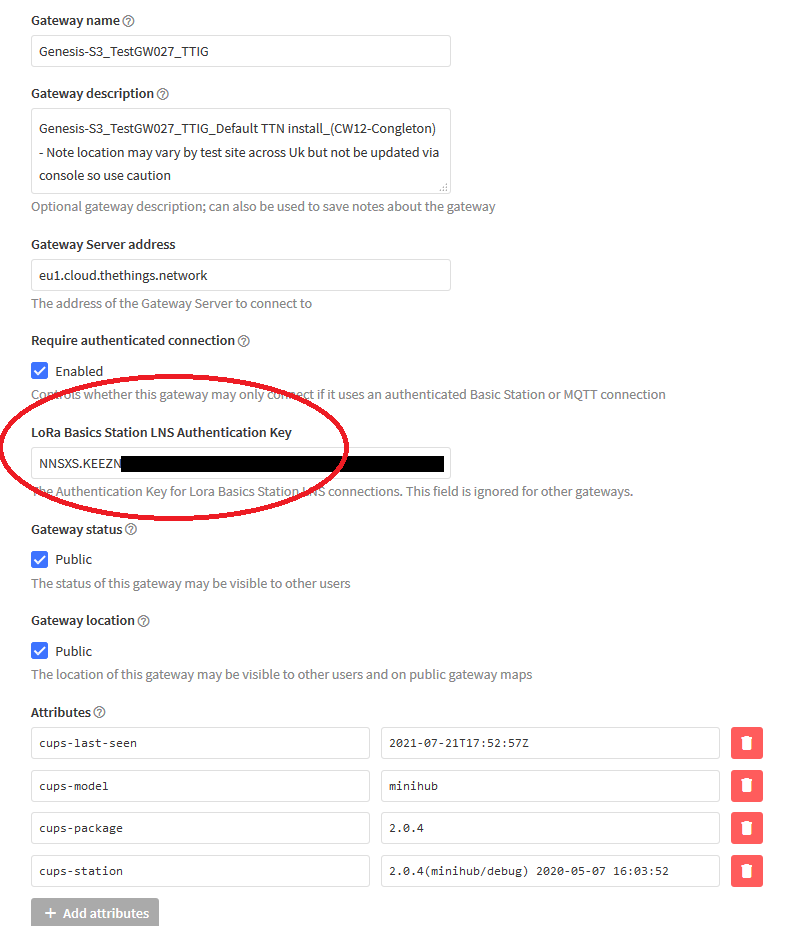
As does the remote TestGW027:
But as stated, for TestGW036 nothing:
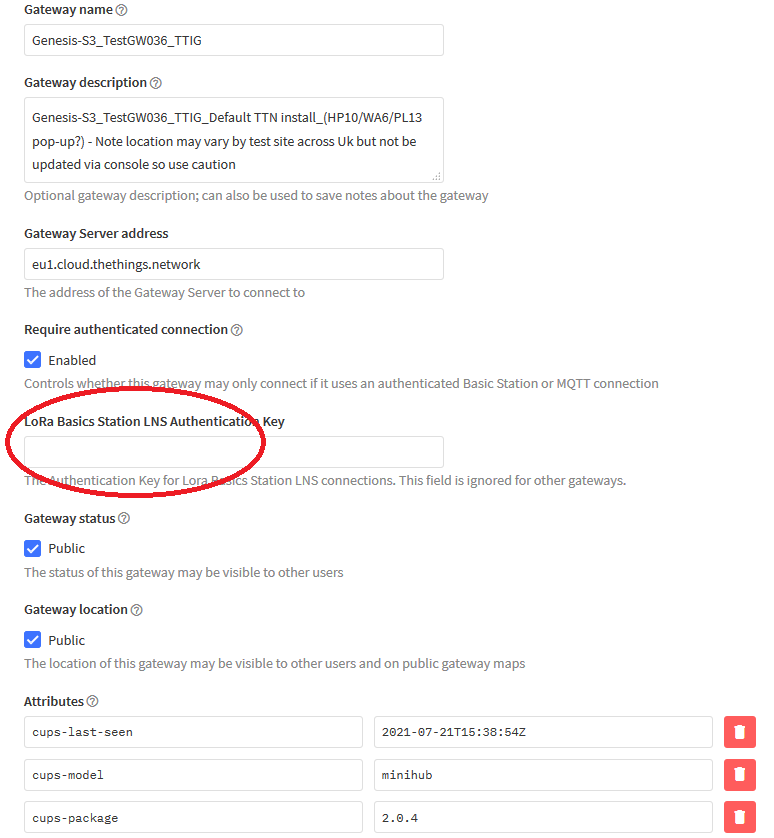
Though it is seeing traffic nd is connected just fine! - go figure…
TL:DR Based on experience through this week with now 3 for 3 on the TTIG’s I will be kicking off the migration of the rest of the remote estate for which I have ready access to Wifi keys starting next week (poss tonight for one of the most remote (Hamburg, DE) GW’s, otherwise that will wait till mid late Aug.)
Next problem is how to claim those where I dont have access to the Claim key? I guess I can have site hosts access perhaps half the the missing 40%, though likely needing to take them offline for a time to get to the back label, the rest I’m not sure about,…